How a lock works
01
Build the deck
Pick how many of each card go in and how often you can draw — once a minute, once a day, once a week. Set the combination on your lock and type it in. The app stores it encrypted and hides it from you.
02
Draw on schedule
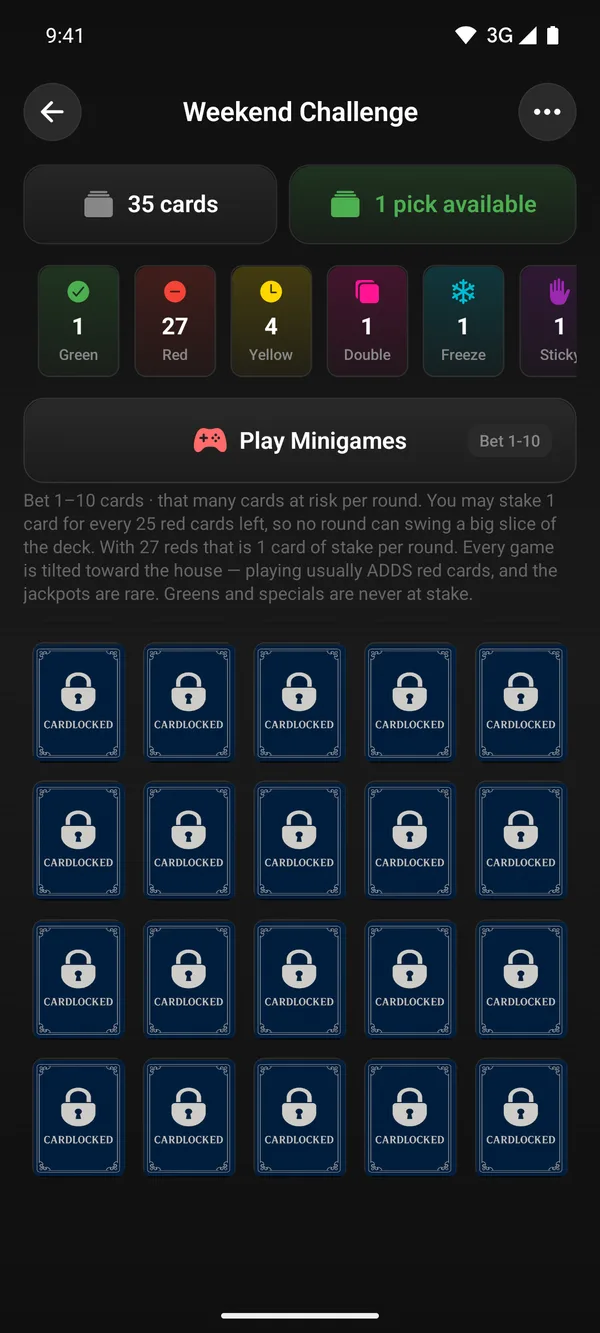
Each time a draw comes due, tap a card. You can't see the deck and you can't shuffle it. Every card you draw comes out of the deck, so the green gets closer with every red.
03
Find the green
Draw the green and the combination is on your screen and in your email. Put more than one green in the deck and you need to find all of them.
Reference · the seven cards
Green
Ends the lock and gives the combination back. Put in two to twenty and you need to find every one.
Red
Uses up your draw. You wait for the next one.
Yellow
Adds or removes a number of red cards. You set the number, or set it to Random.
Freeze
Pauses the lock for a while. When it thaws, you get your draw back.
Double Up
Doubles every other card in the deck, including other Double Ups.
Reset
Puts the deck back to how it started, including any green you already found.
Sticky
Uses up your draw, then goes back into the deck.
Only reds and stickies use up a draw. Every other card resolves and you draw again.
Features · 01
Any lock, any length
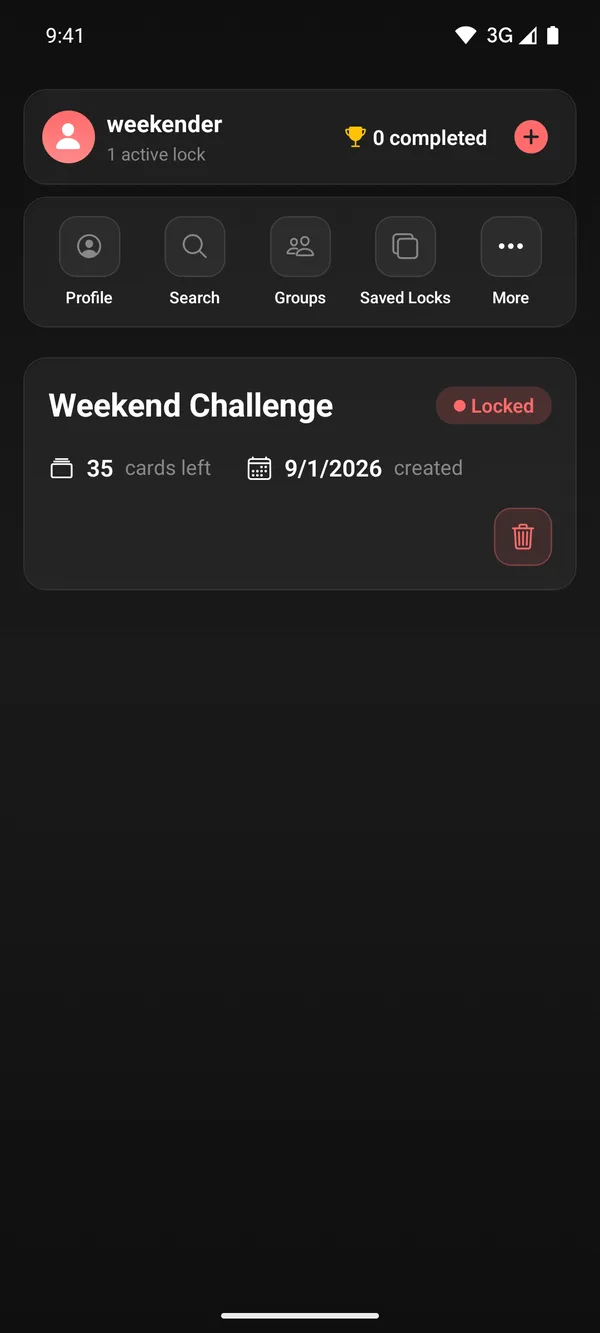
You set everything: which cards go in, how often you draw, whether missed draws stack up or expire, whether you can see how many cards are left, and who runs your deck, if anyone. Not sure how long your deck will hold you? Tap Simulate This Lock and the app plays it out 2,000 times.
Once it's running you draw when a draw comes due and watch the deck change. Every card you've played is in the history. You can add cards to your own lock any time, every kind but Reset. You can never take one out. Run as many locks at once as you like.
Want more people in on it? Turn on the pillory and anyone with your link can add cards to your deck once a day, or list your lock publicly so other CardLocked users can pile on. Votes only ever add cards.
Features · 02
Be someone's keyholder
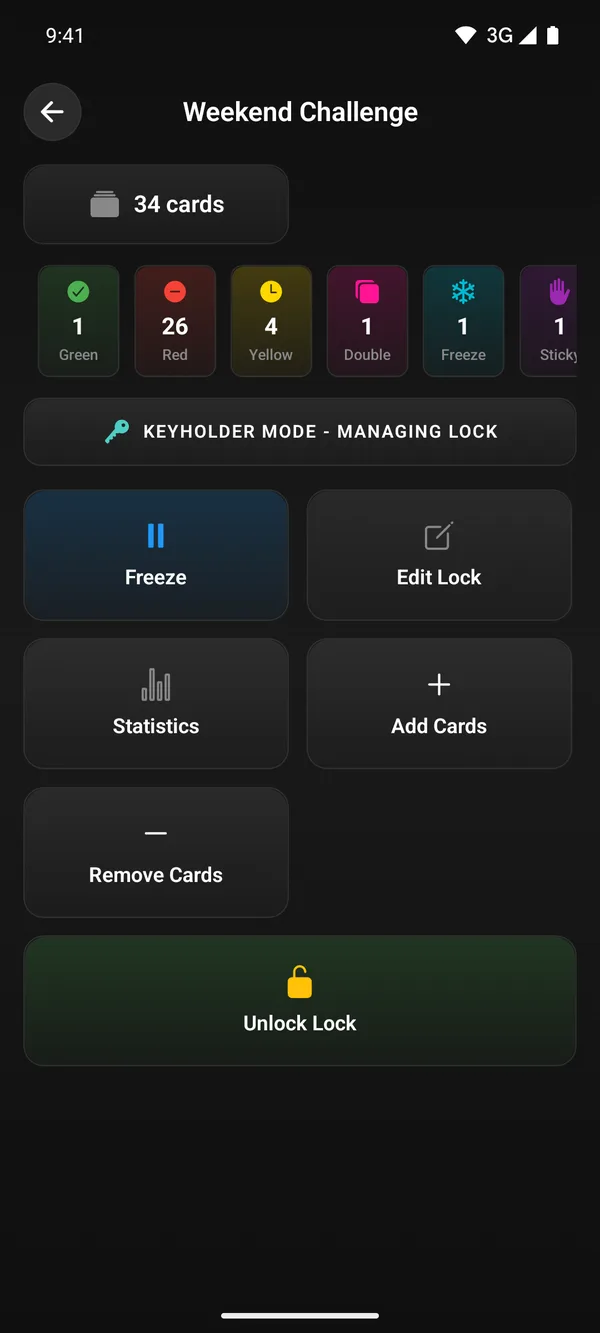
Another CardLocked user can name you to run their deck. Nothing starts until you accept. Then it's yours to run: add cards, take cards out, freeze it, thaw it, or end it whenever you like. They can't overrule you.
You never see their combination. The app hands it back to them the moment the lock ends. Every lock and group you run sits on one screen, you get a notification when something needs you, and they rate you when it's over.
If the lock's owner turns on I Trust My Keyholder, you can add as many cards as you like at once and they can't see what you've done.
Features · 03
Groups
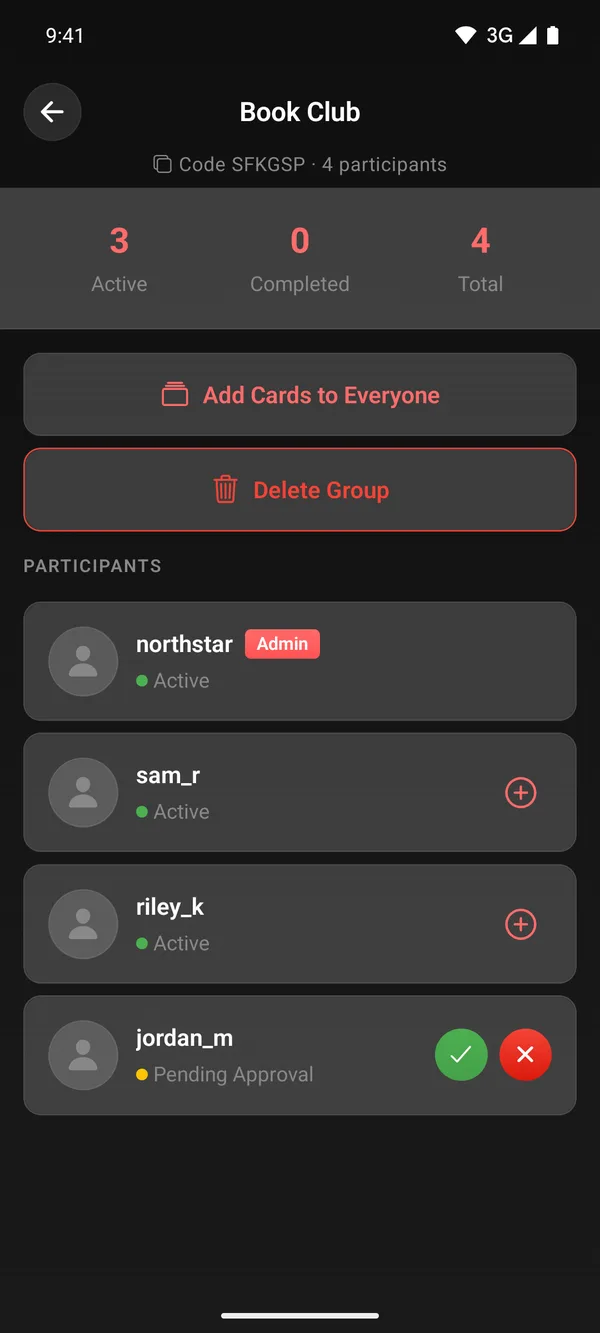
One deck, one keyholder, as many players as you like. Share a six-character code. Everyone who joins gets their own shuffle and sets their own combination, and you run all of them from one screen. Require approval before anyone joins, or list the group publicly so people can find it. Add cards to one player or to everyone at once.
Features · 04
Share a deck
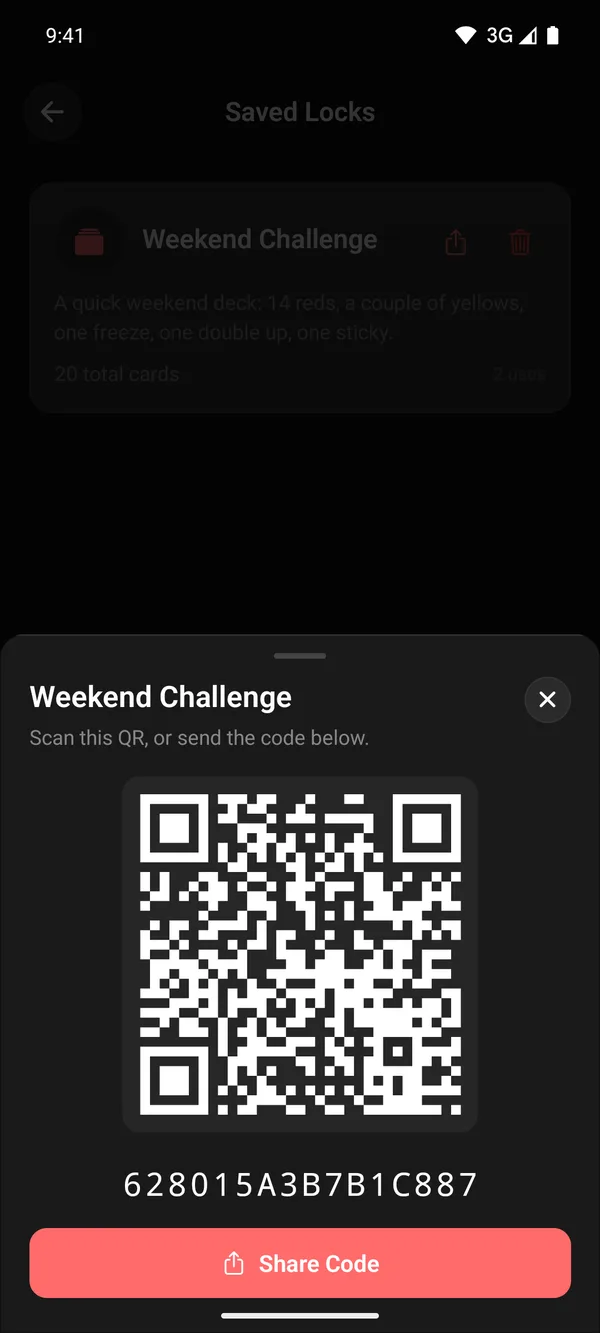
Built a deck you like? Save it and hand it to anyone as a QR code. They scan it, or load it from a photo you sent. What travels is the deck and its rules, never your combination. They set their own combination and pick their own keyholder. Saved decks are also the quickest way to start your next lock or a group.
Features · 05 · optional
Play for your cards
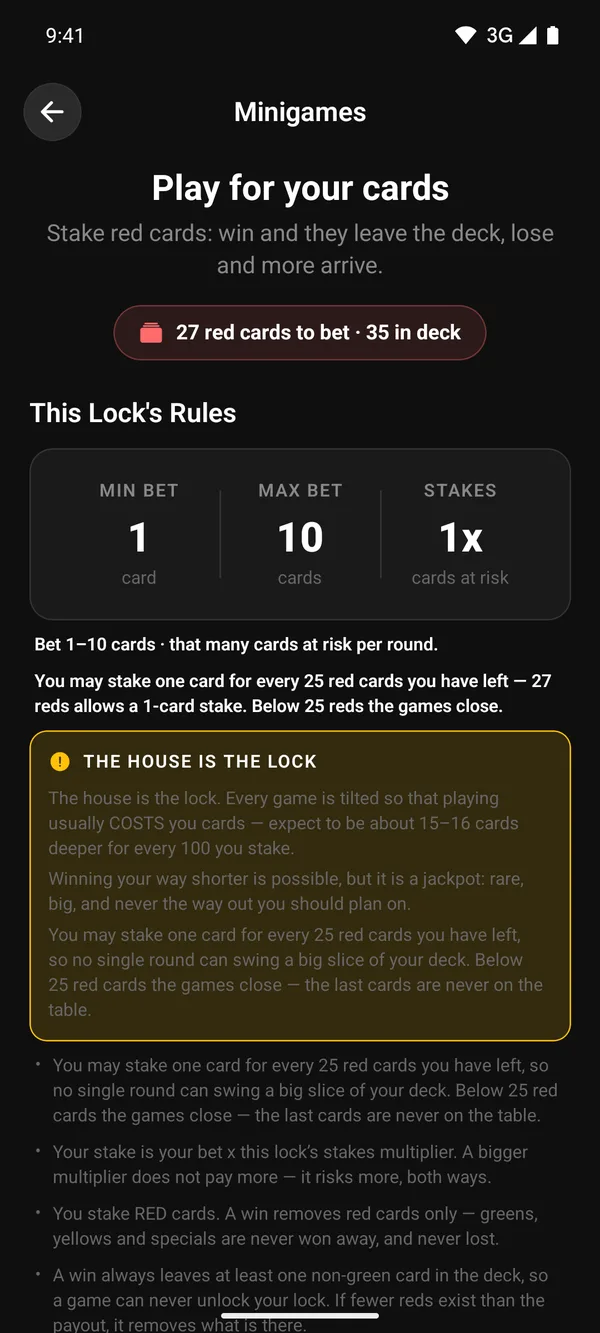
Blackjack, a wheel and slots, played for red cards. Win and reds come off your deck; lose and more go on. Off unless you turn them on. If someone runs your deck, they decide.
Features · 06
Always a way out
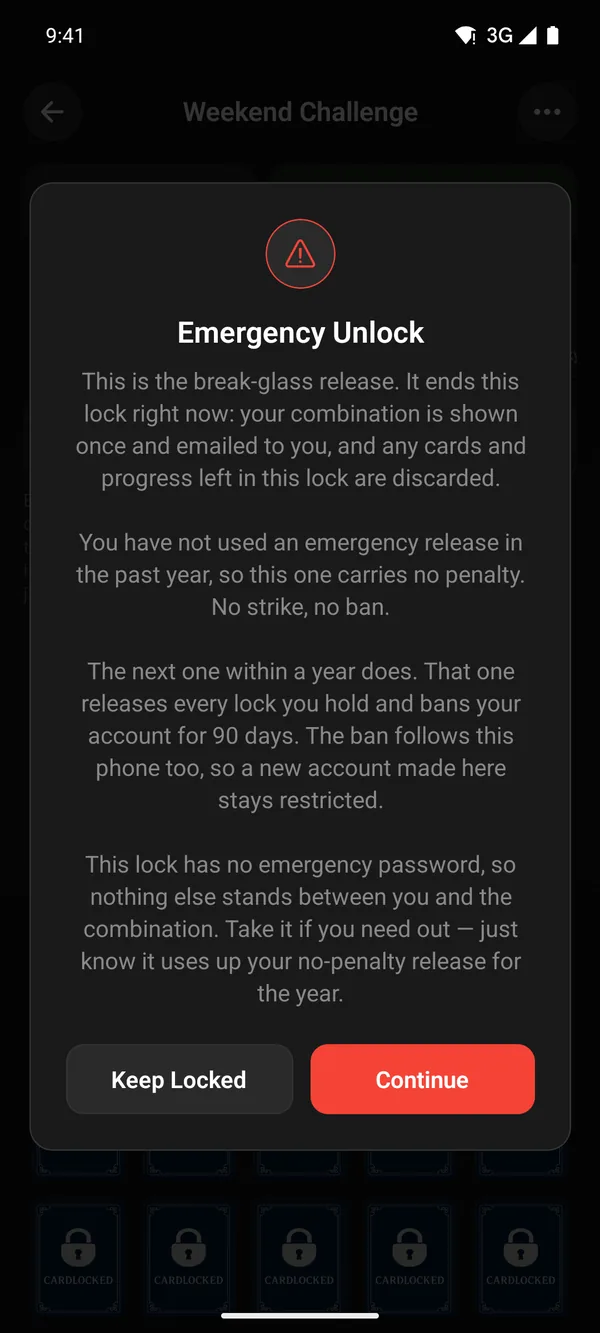
There is always an emergency release, and it never costs money. A keyholder can also let you out early at any time. When you build the lock you choose what an emergency release costs you:
Set an emergency password
Release yourself whenever you want, as many times as you want. No penalty.
Don't set one
You get one release a year with no penalty. A second one inside that year still releases you first, then restricts your account and this phone for 90 days. Appeals are free.
Strict mode
No in-app release. You choose this when you build the lock. Only the cards or your keyholder end it. Support can still get you out in a real emergency.
A restricted account can still sign in, write to support and delete itself. Support is a ticket inside the app. Every ticket gets a reply, and a person reads every emergency and every appeal.
Physical keyholder is the one exception: a real person holds the real key, so there is no combination in the app and no in-app release.
Features · 07
Private by design
No chat
There is no messaging. What passes between you and your keyholder is cards, and a rating at the end.
No tracking
No ads, no tracking, and nothing about you is ever sold. Lock the app behind your fingerprint or face if you like. Delete your account from Settings whenever you're not in a lock.
No purchases
Free. Nothing to buy, nothing to subscribe to, and no fee to get out.
No cheating
The deck lives on our server, not on your phone. Every draw is made there and sent to you, so there's nothing to edit and no peeking. Changing your clock doesn't work, and your keyholder can see if you tried.
The one rule outside the game
Never rely on an app to control a physical lock.
Always keep an independent way out — a spare key, bolt cutters, or another backup you control. CardLocked is entertainment software, not a safety device.
Set your lock. Draw the first card.
Android beta — open now · iPhone beta — open now on TestFlight
Android closed test: email aj@cardlocked.app from the Google account you use in the Play Store on that phone (the invite only works for that address) and we'll add you to the list.
iPhone: install the beta from TestFlight at testflight.apple.com/join/y8DNJAak.
Testers talk in the CardLocked Discord — adults only.